
Stop wasting your budget on 4K webcams and expensive ring lights to solve a problem they can’t fix. I’ve spent fifteen years watching mid-sized firms throw money at “solutions” that are really just expensive band-aids for bad habits. Most people think learning how to look professional on video is about the hardware you buy, but that’s a lie. If your lighting is perfect but your background is a chaotic mess of unfiled paperwork and your camera angle is staring up your nostrils, you haven’t solved anything; you’ve just expensive-ified your incompetence.
I’m not here to sell you a gear list or a subscription to some AI beauty filter. My approach is different: we are going to treat your digital presence like an operational workflow. I am going to show you how to build a repeatable, low-cost setup routine that ensures you look sharp every single time without a second thought. We will focus on the process of your environment and your preparation, because a tool cannot fix a process you have not written down.
Table of Contents
Map Your Professional Webcam Setup Before You Plug in
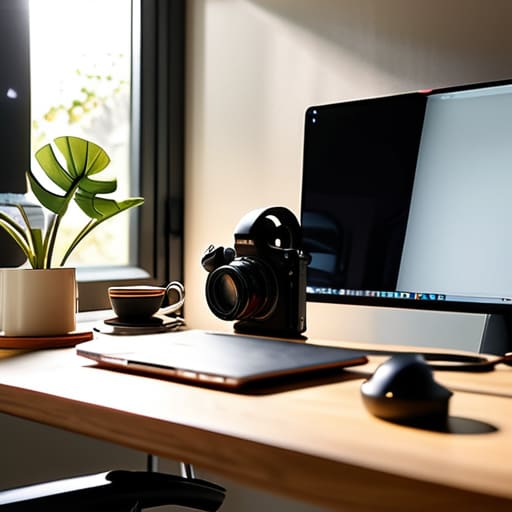
Most people treat their webcam like a slot machine: they plug it in, pray for a decent image, and wonder why they look like they’re broadcasting from a basement. That’s a waste of time. If you want a reliable professional webcam setup, you don’t start with the hardware; you start with a checklist. I spent twenty minutes this morning documenting my own pre-call routine because I realized I was wasting five minutes every single meeting just hunting for a tripod or adjusting a lamp. That’s five minutes of billable time gone.
Write down the sequence. First, define your light source—ideally facing you, not behind you—to ensure you’re actually improving video call quality rather than becoming a silhouette. Second, fix your camera height so you aren’t staring down at your chin like a gargoyle. Third, clear the visual clutter in your immediate periphery. If your background looks like a warehouse explosion, no amount of expensive software will save you. You aren’t just “getting ready”; you are standardizing a repeatable process. Once the steps are mapped, the setup takes sixty seconds, not six minutes. Stop improvising and start documenting.
Draft a Protocol for Improving Video Call Quality

Most people treat video call quality like a series of lucky accidents. They sit down, click a link, and hope the lighting doesn’t make them look like a witness in a crime documentary. That is a failure of process. To actually achieve consistent results, you need a written protocol—a checklist you follow every single time before the camera even turns on. This isn’t about vanity; it’s about minimizing video distractions so the person on the other end focuses on your data, not your cluttered bookshelf or your uneven shadow.
Your protocol should be a step-by-step sequence. Step one: lighting. Don’t guess; define where your light source sits in relation to your face. Step two: audio. Test the input levels. Step three: the background. If your workspace isn’t standardized, you’re wasting cognitive load on every meeting. When you treat improving video call quality as a repeatable operational task rather than a “vibe,” you eliminate the frantic five-minute scramble before a high-stakes call. Write the steps down, stick them on a post-it near your monitor, and stop leaving your professional presence to chance.
Stop Buying Gear to Mask Poor Habits
- Stop hunting for a 4K webcam if your lighting is garbage; write a three-step lighting check into your pre-call ritual so you aren’t sitting in a cave.
- Your background isn’t a design problem, it’s a clutter problem; define a “clear desk” standard for your workspace so you aren’t broadcasting your mess to clients.
- Audio quality is non-negotiable, but a $300 mic won’t fix a room with an echo; map out your acoustic setup—rugs, curtains, or panels—before you commit to expensive hardware.
- Dress for the role, not the webcam; create a simple wardrobe checklist for high-stakes calls so you aren’t scrambling to find a collared shirt five minutes before a meeting.
- Stop relying on software filters to smooth out your skin; if you haven’t standardized your camera angle at eye level, no amount of digital touch-up will make you look authoritative.
The Bottom Line on Video Presence
Stop buying expensive hardware to mask a lack of discipline; a cheap webcam and a documented lighting routine beat a $300 setup that you only use half the time.
Professionalism isn’t a filter—it’s the result of a repeatable setup process that ensures you aren’t scrambling for a charger or a clean background five minutes before a call.
If you can’t write down the three steps you take to prepare for a video meeting, you don’t have a professional presence, you have a series of lucky accidents.
Stop Buying Gear and Start Building Systems
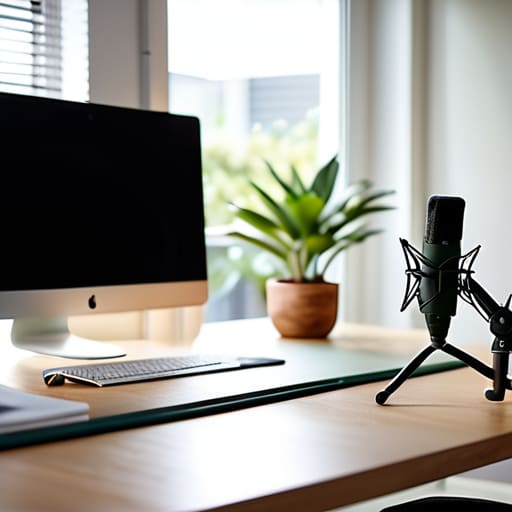
Most people think looking professional on a video call is a hardware problem. They buy a $200 webcam and expect their credibility to magically increase. It doesn’t. If you haven’t mapped your physical setup or drafted a repeatable protocol for your lighting and audio, you are just spending money to mask incompetence. You need a documented routine that ensures your camera is at eye level, your background isn’t a distraction, and your audio doesn’t sound like you’re underwater. Fix the process first, then worry about the gear.
At the end of the day, your digital presence is just a reflection of your operational discipline. When you show up with a consistent, well-mapped setup, you aren’t just looking better; you are signaling to your clients and colleagues that you respect their time and your own standards. Don’t look for a software patch to fix a lack of preparation. Write down your routine, execute it every single time, and let the results speak for themselves. Consistency is the only real professional standard.

