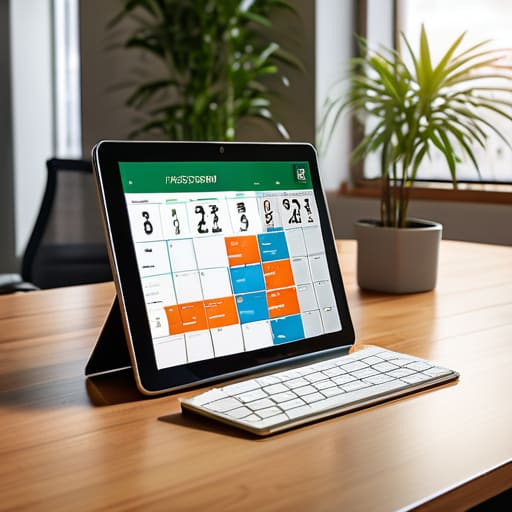
I spent forty minutes this morning watching a mid-sized logistics manager argue with a software salesperson about a dashboard that costs $200 per user. They were trying to figure out how to track holiday and leave using a tool that was clearly designed to solve a problem they hadn’t even defined yet. It’s the same old story: companies throw money at shiny SaaS platforms to avoid the uncomfortable conversation of actually deciding who is allowed to be away and when. You don’t need a more expensive subscription; you need a decision.
I’m not here to sell you a demo or walk you through a feature list. My goal is to show you how to strip the nonsense away and build a functional system from the ground up. We are going to ignore the bells and whistles and focus on the only thing that matters: mapping the process before you ever touch a keyboard. If you want a blueprint for a system that actually works without draining your budget, you’re in the right place.
Table of Contents
Stop Buying Software for Broken Workflows

I see it every month: a mid-sized firm loses three weeks of productivity because their “system” is actually just a chaotic mix of WhatsApp messages and sticky notes. The CEO panics and buys an expensive automated leave request system, thinking the software will magically fix the chaos. It won’t. All they’ve done is digitize a mess. If you don’t know who is supposed to cover whom when a senior lead goes offline, a shiny dashboard is just a high-priced way to watch your operations crumble in real-time.
Before you even look at a demo, you need to map the logic. Who approves the request? How is the handoff documented? What happens if two people in the same department request the same week? If you haven’t defined these rules on paper, you aren’t implementing a solution; you are just automating your own incompetence.
Effective workforce availability planning requires a clear set of human protocols first. You need to know your thresholds and your backup contingencies. Only once those rules are rigid and documented should you consider a tool to handle the administrative heavy lifting. Anything else is just throwing money at a hole in your process.
The Manual Truth Behind Automated Leave Request Systems

Everyone thinks an automated leave request system is a magic wand. They imagine a dashboard where everything just works. But here is the reality: the software is just a digital bucket. If you haven’t defined the rules for how that bucket is filled, you’re just automating chaos. I’ve seen mid-sized firms spend six figures on leave management software benefits, only to realize the tool is still flagging conflicts because nobody decided who gets priority during the peak season.
The math doesn’t change just because you moved from a spreadsheet to a cloud platform. You still need to know exactly how you are tracking annual leave balances and, more importantly, who has the authority to approve them. If your current method involves a manager checking a shared calendar and then sending a vague email, an expensive tool won’t fix that lack of discipline. It will just make the mistakes happen faster.
Before you touch a single setting in a new platform, you need to map out your workforce availability planning. You need to know the minimum headcount required to keep the warehouse running on a Tuesday in July. Without those manual constraints written in ink, your new system is nothing more than an expensive way to watch your operations fall apart in real-time.
Five Ways to Stop the Leave-Request Chaos
- Define your rules on paper first. If you haven’t decided how much notice is required or how many people can be off at once, a software dashboard is just a digital way to make mistakes faster.
- Audit your “emergency” requests. If half your team is constantly asking for “last minute” time off, you don’t have a tracking problem; you have a scheduling and culture problem.
- Centralize the source of truth. Stop letting requests live in email threads, WhatsApp messages, and verbal hallway chats. If it isn’t in one single, agreed-upon location, it didn’t happen.
- Map your coverage requirements. Before you approve a single day, you need to know which roles are critical for daily operations. Tracking the request is useless if you haven’t mapped the impact of the absence.
- Review the data, not just the calendar. Once a month, look at the patterns. If certain departments are always short-staffed in July, your process needs a structural fix, not a new app.
The Bottom Line

Stop searching for a “magic” dashboard; if you haven’t documented who approves what and when, you’re just digitizing chaos.
A tool is an accelerator, not a creator. If your current leave process is a mess of verbal agreements and sticky notes, software will only help you fail faster.
Map the workflow on paper first. Only once the logic is airtight should you even look at a subscription price tag.
The Bottom Line
Let’s be clear: you don’t have a tracking problem; you have a definition problem. You can spend five figures on a SaaS subscription that promises “seamless integration,” but if your managers are still approving time off via WhatsApp and your HR lead is manually reconciling spreadsheets, you’ve just automated your chaos. You haven’t fixed the leak; you’ve just given the water a faster way to flow out of the building. Before you sign another procurement contract, map the workflow on a whiteboard. Decide who approves what, how much notice is required, and exactly how the data gets from the employee to the payroll file. If you can’t draw it with a marker, you shouldn’t be paying for it with a credit card.
Efficiency isn’t about finding the flashiest dashboard; it’s about the discipline of the process. My time spent on this post—and yours—has a measurable cost, so don’t waste the investment by jumping straight to the “solution” phase. Build the foundation first. When you finally do implement a tool, it should serve as a multiplier for a working system, not a bandage for a broken one. Get your process written down, get your people aligned, and only then should you look at the software. Process first, tools second.

